Accounting and invoicing
Customer invoices, vendor bills, collections, payments, and financial reports.
Included
SYSLUD
Connect invoicing, finance, sales, and your team. Choose the applications you need and manage each company through one workspace.
 A look inside your workspace
Applications
Start with your daily work and add applications as your team grows. Availability follows the company plan and each user's permissions.
Customer invoices, vendor bills, collections, payments, and financial reports.
IncludedFollow leads through quotations, sales orders, invoicing, and collection.
IncludedEmployee records, attendance, leave requests, and their approvals.
Available with BusinessAssign and follow up customer tickets linked to their work documents.
Available with BusinessConnect projects, field work, time, and expenses with financial records.
Available with Finance or BusinessOrganize campaigns and audiences, then follow leads into sales.
Available with Finance or BusinessAccounting and invoicing
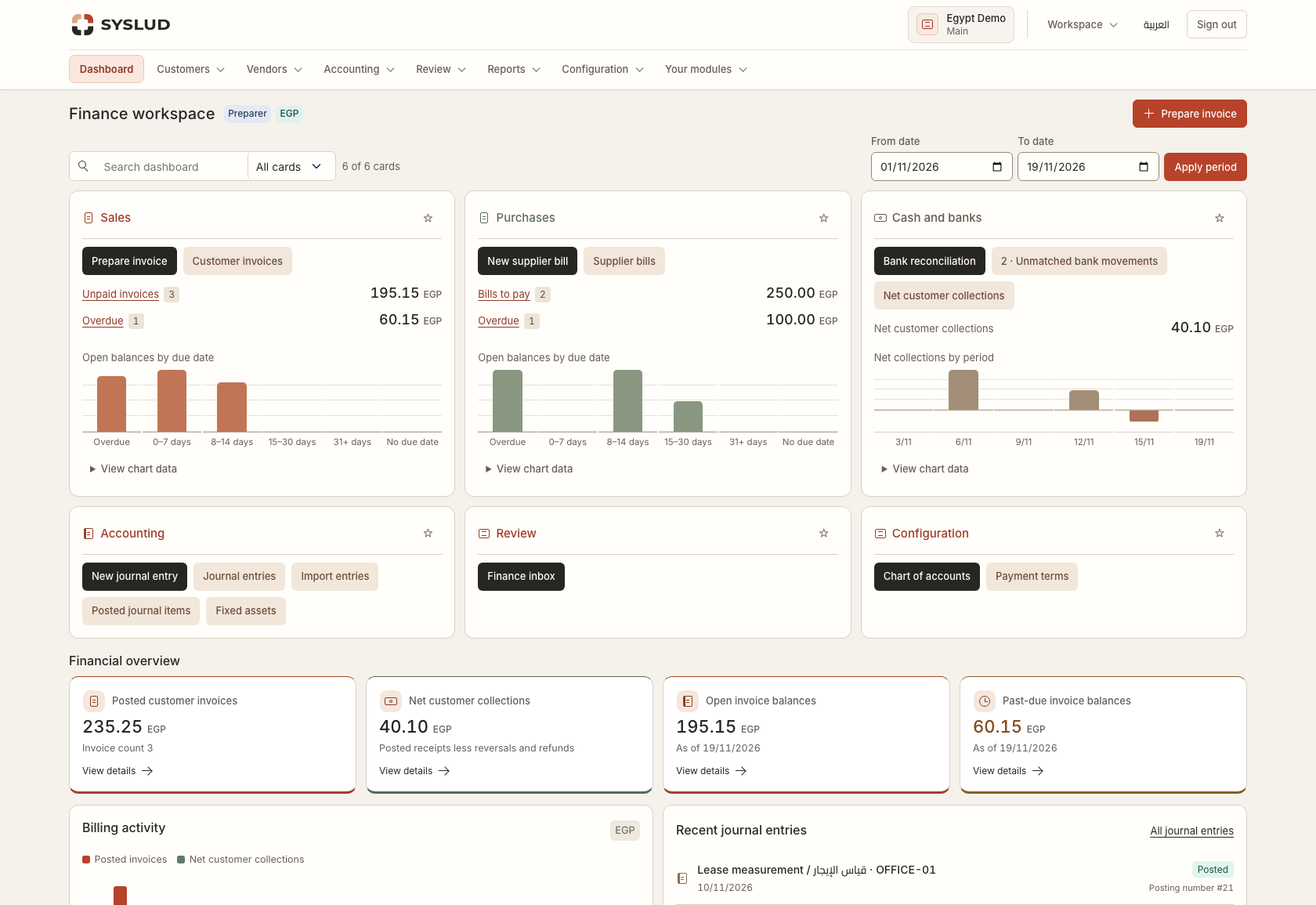
Prepare documents, route them through approvals, record collections, and review the ledger. Each step follows the assigned company, branch, and role.
Plans
Compare seats and applications, then set up your company. Every new workspace starts with a 14-day trial.
Invoicing and standard ledger
ContinueProjects and marketing applications
ContinueHR and customer support applications
Continue14-day trial with no automatic payment. Commercial pricing will be announced separately.
New workspace registration is currently unavailable.
| Feature | Starter | Finance | Business |
|---|---|---|---|
| Invoicing and standard ledger | Included | Included | Included |
| Advanced finance and inventory | Available in a higher plan | Included | Included |
| Projects and marketing applications | Available in a higher plan | Included | Included |
| HR and customer support applications | Available in a higher plan | Available in a higher plan | Included |
Getting started
Choose an existing company or enter the details of a new client.
Compare the plans and choose the seats and capabilities your team needs.
Select the applications available in your plan and review your choices.
Open a branch workspace and start using your applications.
Questions
Sign in with your existing account. The start page shows the companies and branches you can access.
Yes. During setup, choose from the applications included in your plan. Project and marketing applications also require Sales and CRM.
Users receive roles and branch access. Financial preparation, approval, and posting use separate responsibilities.
You can switch between Arabic and English. Number and date display can be configured for each company.